
An auto-attendant is an automated phone system that answers incoming calls, plays a greeting, and routes callers to the right person or department without a live operator. It acts as your business’s first voice, available around the clock. Whether you run a five-person office or a growing company across multiple locations, an auto-attendant keeps your phone lines organized and professional.
Most modern auto-attendant systems run over a VoIP (Voice over Internet Protocol) network, meaning they use your internet connection instead of traditional phone lines. This makes them easier to configure, update, and scale. If you have ever pressed “1 for Sales” or “2 for Support,” you have already interacted with one. This guide breaks down exactly how the technology works and what it can do for your business.
Ready to learn more? Explore how Alta Tech’s VoIP solutions in Raleigh can put a professional auto-attendant to work for your business today.
What an Auto-Attendant Actually Is
An auto-attendant is a software-driven call management tool built into most modern business phone systems. It greets callers with a recorded message and presents a menu of options. The caller then presses a number or speaks a command, and the system routes the call accordingly.
Think of it as a digital front desk. It never takes a lunch break, never calls in sick, and handles multiple incoming calls at the same time. For small businesses in Raleigh that cannot afford a full-time receptionist, it fills that role at a fraction of the cost.
The term “virtual receptionist” is often used interchangeably with auto-attendant, though a virtual receptionist can sometimes refer to a live remote worker. In the context of phone systems, both terms usually mean the same automated routing technology.
How the Call Routing Process Works Step by Step
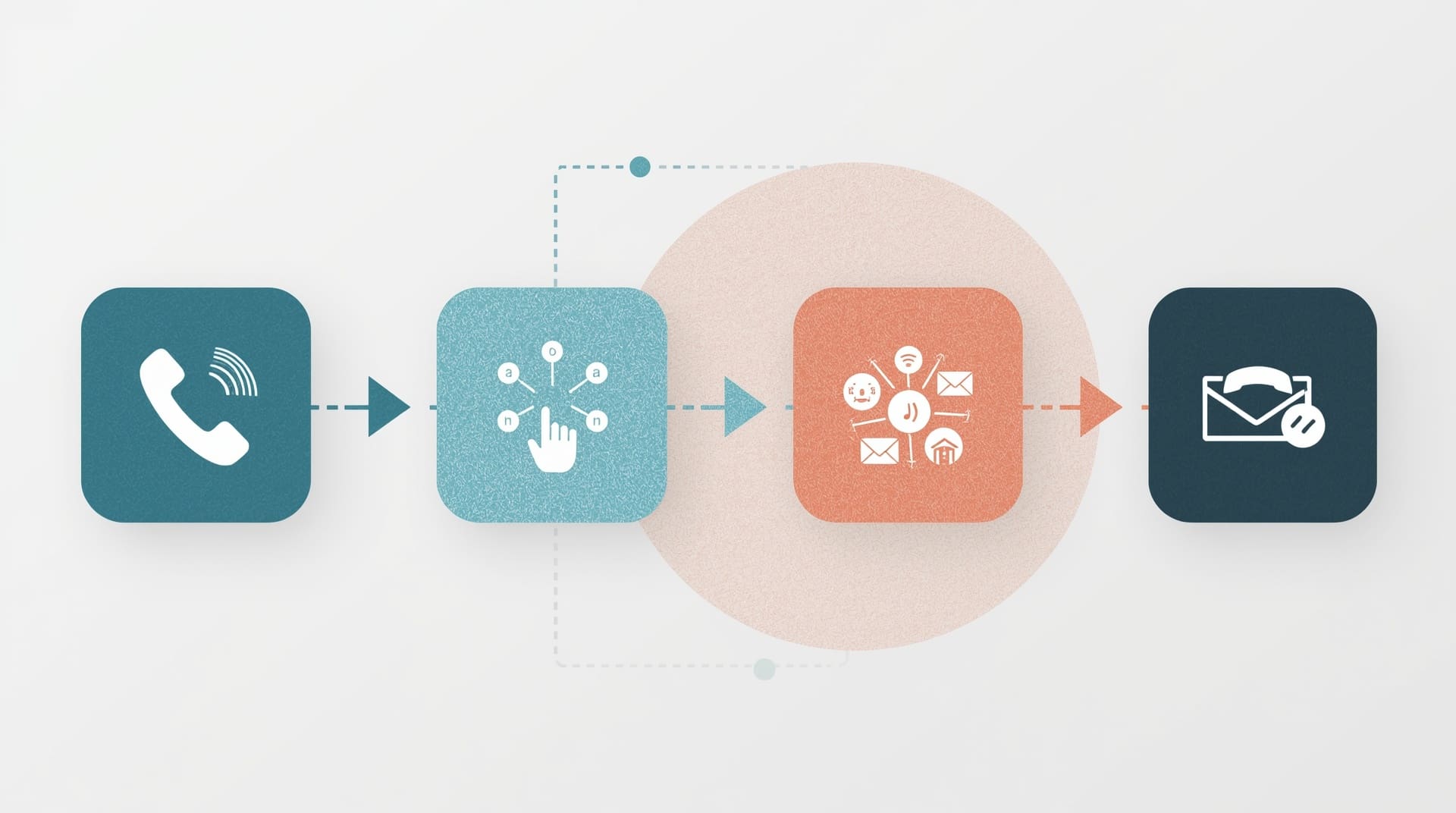
When a call comes in, the auto-attendant follows a pre-set logic flow to handle it. Understanding each step helps you design a menu that actually serves your callers.
1. Incoming Call Is Answered
The system picks up the call automatically, often within one or two rings. The caller hears a greeting you have recorded or generated using text-to-speech software. That greeting typically includes your business name and a brief welcome.
2. Menu Options Are Presented
The auto-attendant reads through the menu options. Each option is tied to a keypad number or a spoken keyword. A typical menu might offer sales, support, billing, and a directory. You control how many levels this menu has and what each option does.
3. Caller Makes a Selection
The caller presses a key or speaks their choice. The system recognizes the input using DTMF (dual-tone multi-frequency) technology for keypad presses, or speech recognition for voice commands. DTMF is simply the signal your phone sends when you press a button.
4. Call Is Routed to the Right Destination
The system forwards the call to the correct extension, ring group, voicemail box, or external number. If no one answers, the call can be sent to voicemail, another extension, or back to the main menu. You define every fallback in advance.
Key Features Found in a Business Auto-Attendant
Not all auto-attendant systems offer the same features. Knowing what to look for helps you choose the right setup for your team.
| Feature | What It Does | Business Benefit |
|---|---|---|
| Multi-Level Menus | Nested submenus for departments or locations | Handles complex routing without a live operator |
| Business Hours Routing | Different menus for open and closed hours | Callers always hear the right message |
| Dial-by-Name Directory | Caller spells a name to reach that person | Reduces time spent transferring calls manually |
| Voicemail Routing | Sends unanswered calls to a specific mailbox | No call goes completely unanswered |
| Holiday Scheduling | Pre-set greetings and routing for holidays | Set it and forget it for planned closures |
| Call Queue Integration | Places callers in line during busy periods | Reduces abandoned calls and lost leads |
How a VoIP Auto Attendant Differs from a Traditional System
A VoIP auto attendant runs entirely over your internet connection. Traditional phone systems, called PBX (private branch exchange) systems, required physical hardware in your office to manage call routing. VoIP eliminates most of that hardware by moving the logic to the cloud.
With a cloud-based VoIP auto attendant, you manage your menus through a web portal. You can update greetings, add extensions, or change routing rules from any browser in minutes. No technician visit is required for routine changes.
Traditional systems also struggled with scalability. Adding a new line or department often meant buying new hardware. A VoIP system lets you add users or locations with a few clicks and a small monthly fee adjustment. For growing businesses, that flexibility is a major advantage.
Business Hours and After-Hours Call Handling
One of the most practical uses of an auto-attendant is separating how it handles calls during and outside business hours. You set a schedule, and the system automatically switches between two different greetings and routing paths.
During business hours, callers hear your standard menu and get routed to live staff. After hours, the system might play a message with your hours, offer an option to leave a voicemail, or route urgent calls to an on-call number. Holiday schedules work the same way: you set the dates in advance and the system handles the rest.
This level of control means your business always sounds professional, even when no one is physically in the office. A caller at 10 p.m. on a Saturday still gets a clear, helpful message instead of endless ringing.
Multi-Level Menus and When to Use Them
A single-level menu gives callers a handful of choices that each connect directly to a destination. A multi-level menu adds submenus underneath those choices. For example, pressing “1 for Sales” might then give the caller options for New Customers or Existing Accounts.
Multi-level menus are useful when your business has distinct departments, multiple locations, or a large staff. They let you organize routing in a way that mirrors how your business is actually structured. However, deeper menus can frustrate callers if they become too complex. As a general rule, keep menus to two levels maximum and limit each level to five or fewer options.
A well-designed menu respects the caller’s time. Put the most commonly selected options first. Always include a way to reach a live person or return to the main menu at any point.
The Dial-by-Name Directory Explained
A dial-by-name directory lets callers reach a specific employee by spelling out that person’s last name on the keypad. The system matches the letters to names in its database and connects the call. This feature is especially helpful for businesses where callers already know who they need to speak with.
Setting it up requires adding each employee’s name and extension to the system’s directory. Most VoIP platforms handle this through their admin portal. You can also set which employees appear in the directory and which do not, giving you control over visibility.
The directory saves time for repeat callers and reduces the number of transfers your staff has to handle manually. It also gives your business a more corporate, organized feel without requiring additional staff.
Auto-Attendant Setup: What the Process Looks Like
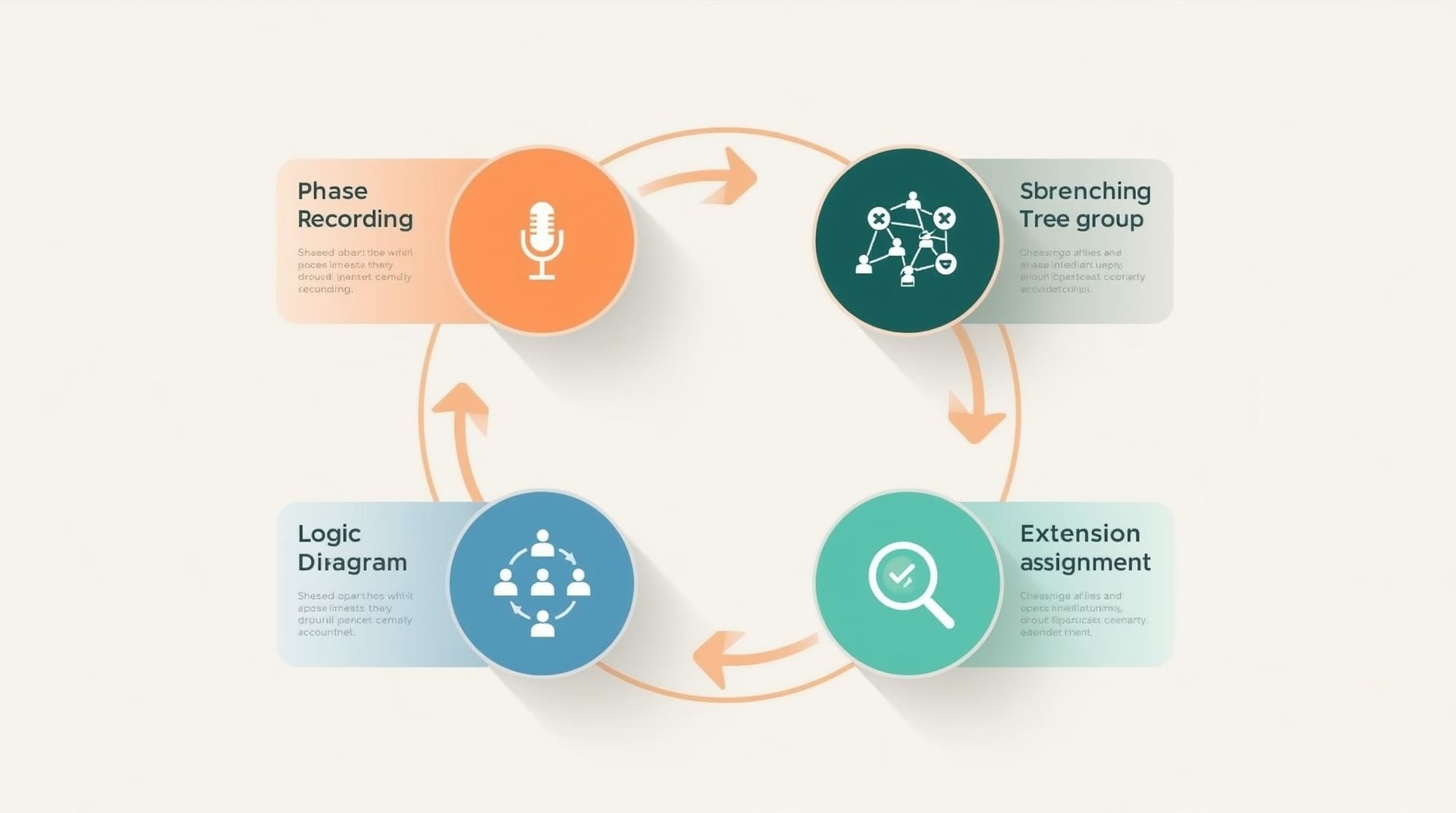
Setting up an auto-attendant is straightforward on most modern VoIP platforms. The process typically follows a few consistent steps regardless of the provider you use.
1. Record or Generate Your Greeting
You can record a greeting using a microphone, hire a voice professional, or use the platform’s built-in text-to-speech tool. Text-to-speech converts typed words into a spoken voice automatically. Quality varies by platform, so listen to samples before committing to a voice style.
2. Build Your Menu Logic
Map out which keys lead where before you start clicking through the admin panel. A simple diagram on paper saves a lot of backtracking. Decide what happens when a caller presses each key, what happens if they press nothing, and what the after-hours routing looks like.
3. Assign Extensions and Ring Groups
Connect each menu option to the right destination. Ring groups, which ring multiple phones at once until someone answers, are a common choice for departments. Individual extensions work better for specific staff members.
4. Test Every Path
Call your own number and work through every menu branch. Check that transfers work, that voicemail prompts activate correctly, and that after-hours routing switches on schedule. Testing catches problems before your customers do.
Common Mistakes to Avoid With Auto-Attendant Configuration
Even a well-intentioned setup can frustrate callers if a few key mistakes are made. Awareness of these issues lets you avoid them from the start.
- Too many menu levels: Callers who have to navigate three or four submenus will hang up. Simplify wherever possible.
- No option to reach a live person: Always give callers a path to a human, especially for complex or urgent issues.
- Outdated greetings: A greeting that references old hours, a former employee, or a past promotion damages trust immediately. Review greetings quarterly.
- Missing fallback routing: If a caller presses nothing or makes an invalid entry, the system needs a defined action. Without one, calls can drop.
- Poor audio quality: A muffled or low-volume greeting sounds unprofessional. Record in a quiet space and test the audio before going live.
Who Benefits Most from Using an Auto-Attendant

Nearly any business that receives regular phone calls can benefit, but some situations see the biggest gains. Small businesses with a small front-office team are the clearest example. An auto-attendant handles initial call intake so staff can focus on the work in front of them rather than constantly answering the phone.
Businesses with multiple departments or locations also benefit significantly. Instead of transferring calls manually between people, the system routes them correctly from the start. Professional services firms, medical offices, law practices, and retail businesses all commonly use this technology for this reason.
Companies that receive calls outside normal hours are another strong fit. Rather than missing those calls entirely, an auto-attendant captures voicemails, delivers information, or routes to an emergency line. No opportunity goes to waste simply because the office is closed.
Auto-Attendant vs. a Live Receptionist: Knowing the Difference
A virtual receptionist in the automated sense handles volume efficiently and costs far less than a salaried employee. It works 24 hours a day without overtime, vacation, or sick days. For routine call routing and information delivery, it performs consistently every time.
A live receptionist, however, brings judgment and empathy that no software can fully replicate. Complex caller situations, upset customers, or nuanced requests often need a human response. The two approaches are not mutually exclusive. Many businesses use an auto-attendant for initial call handling and then transfer to a live person for anything requiring real conversation.
The right balance depends on your call volume, the nature of those calls, and your budget. An auto-attendant is a tool that amplifies your team’s capacity, not a complete replacement for human interaction.
Final Thoughts on Auto-Attendant Technology
An auto-attendant is one of the highest-impact features in any modern business phone system. It shapes the first impression callers have of your business, routes them efficiently, and keeps your team focused on productive work instead of switchboard duties. Whether you are setting one up for the first time or improving an existing configuration, the investment in planning pays off immediately in caller experience and operational efficiency.
For businesses in Raleigh and the surrounding area, pairing an auto-attendant with a full-featured VoIP system delivers the most flexibility and the lowest long-term cost. The technology is mature, reliable, and fully manageable without specialized IT skills. If your business still relies on a receptionist to manually route every call, it may be time to let your phone system take on that load.
Frequently Asked Questions About Auto-Attendant Systems
What is the difference between an auto-attendant and an IVR?
An auto-attendant routes calls based on a menu selection. An IVR (Interactive Voice Response) goes a step further by allowing callers to interact with a database, such as checking an account balance or confirming an appointment. Auto-attendants are simpler and more common in small to mid-size businesses. IVR systems are more complex and typically used by larger enterprises or call centers.
Can I use an auto-attendant with my existing phone system?
It depends on your current setup. If you already use a VoIP or cloud-based phone system, an auto-attendant is likely already included or available as an add-on. Older analog phone systems may require an upgrade or an adapter. In most cases, switching to a VoIP platform is the most practical path to getting auto-attendant features.
How much does an auto-attendant cost?
Most VoIP providers include basic auto-attendant functionality in their standard business plans, which typically range from a low to mid monthly fee per user. Advanced features like multi-level menus, call analytics, and holiday scheduling may require a higher-tier plan. The overall cost is almost always lower than staffing a dedicated receptionist.
Do callers dislike automated systems?
Callers dislike poorly designed automated systems, not the technology itself. A clear greeting, a short menu, and a quick path to a live person all result in a positive experience. Research consistently shows that callers are satisfied when an auto-attendant routes them correctly the first time. The frustration comes from long menus, dead ends, and no option to reach a human.
How do I update my auto-attendant greeting or menu?
On most modern VoIP platforms, you log into a web-based admin portal and update your greetings, menu options, and routing rules directly. Changes take effect immediately or on a scheduled basis. No technician is needed for routine updates. It is a good practice to review your setup at least once a quarter to make sure everything still reflects your current business structure.