
A cloud-based phone system routes your business calls over the internet instead of traditional copper phone lines. There is no bulky hardware closet, no expensive on-site equipment, and no phone company technician needed every time you add a new line. Your phones, voicemail, and call-routing rules all live in the cloud, managed through a web dashboard you control.
For small businesses in Raleigh and across North Carolina, this shift is one of the most practical technology upgrades available today. You get enterprise-grade calling features at a fraction of the cost, and your team can work from anywhere with a solid internet connection. This guide breaks down exactly how the technology works, what to expect when switching, and how to choose the right setup for your business.
Ready to learn more? Explore how Alta Tech delivers VoIP solutions for businesses in Raleigh, NC and find the right phone system for your team.
What a Cloud-Based Phone System Actually Is
A cloud-based phone system, often called a cloud phone system or hosted PBX, uses Voice over Internet Protocol (VoIP) technology to carry voice calls as data packets over your internet connection. VoIP simply means “voice delivered over IP networks,” the same networks that carry your email and web traffic. The software that handles call routing, voicemail, and extensions is hosted on remote servers owned and maintained by your provider, not inside your office.
A hosted PBX is the specific name for when that call-management software lives off-site at the provider’s data center. PBX stands for Private Branch Exchange, which is the system that routes calls between your internal extensions and the outside world. With a traditional PBX, that box sits in your server room and requires an IT technician to reconfigure it. With a hosted PBX, your provider manages everything, and you make changes through a browser.
How Cloud Phone Calls Travel from Point A to Point B
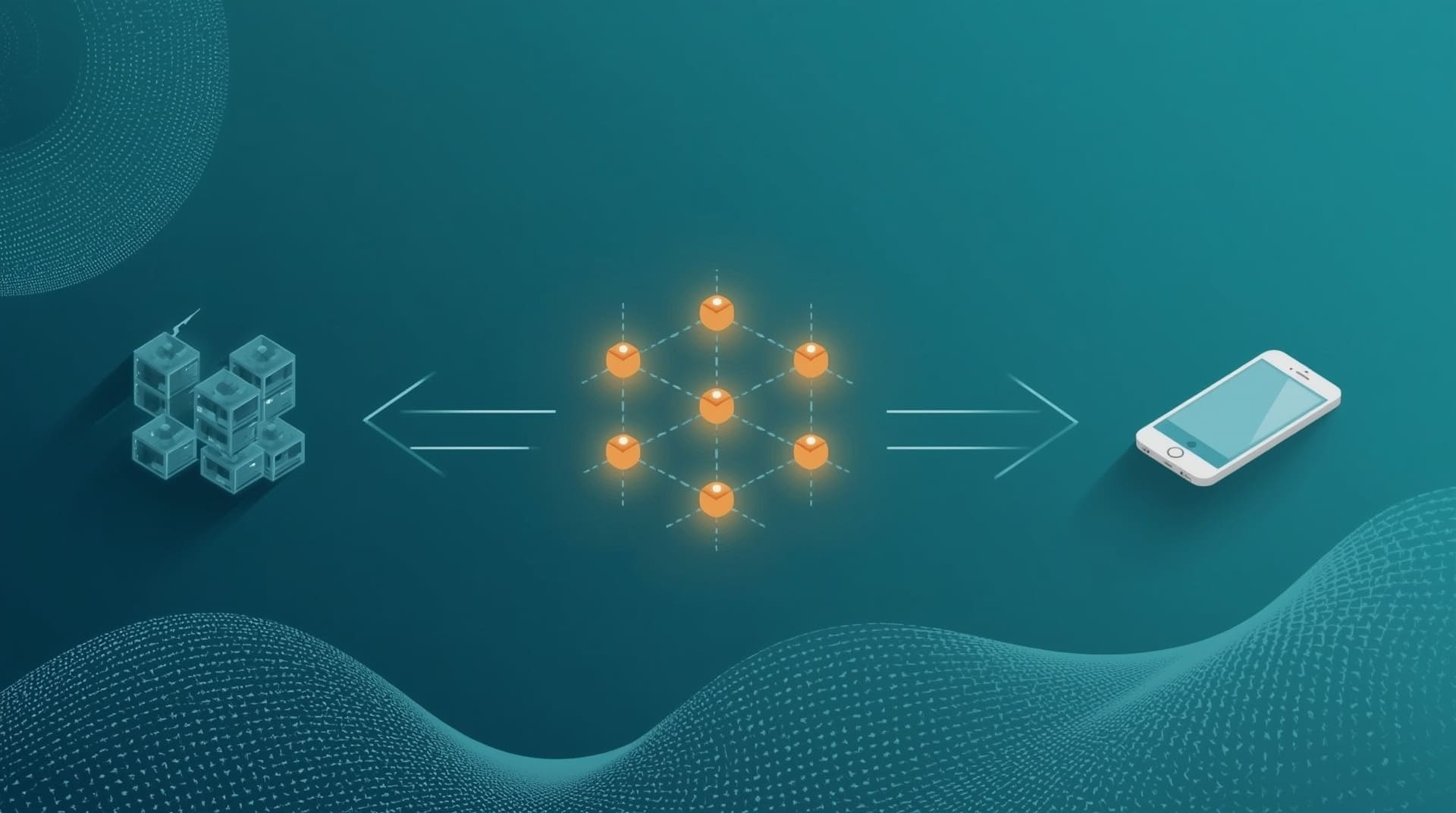
When you speak into a VoIP handset or a softphone app on your laptop, your voice is converted into small data packets. Those packets travel over your internet connection to your provider’s cloud servers, which then route them to the destination, whether that is another extension in your office or a number halfway across the country.
The process happens in milliseconds. From the caller’s perspective, it sounds and feels like a normal phone call. The key ingredient is a stable, low-latency internet connection. Latency means the delay between sending and receiving data. High latency causes that frustrating “talking over each other” effect. A business-grade internet connection with at least 100 Kbps of bandwidth per active call is the baseline most providers recommend.
Core Features That Come Standard with Cloud Phone Systems
One of the biggest selling points of switching to a cloud-based system is the feature set you get without paying extra for each one. Most hosted plans include tools that older analog systems charge a premium to add.
- Auto-attendant: Greets callers with a recorded menu and routes them to the right department or extension automatically.
- Voicemail to email: Converts voicemail recordings to audio files and sends them to your inbox so you never miss a message.
- Call forwarding and simultaneous ring: Rings your desk phone and your mobile at the same time so you catch every call.
- Conference calling: Hosts multi-party calls without a separate conferencing service.
- Call recording: Records calls for training, compliance, or quality assurance purposes.
- Number portability: Lets you keep your existing business phone numbers when you switch providers.
- Softphone apps: Lets employees make and receive calls from a laptop or smartphone using the same business number.
These features matter because they give a small business a professional phone presence without requiring a full-time IT staff to manage it.
The Real Cost Difference Between Cloud and Traditional Phone Systems
Traditional landline systems require upfront hardware purchases, installation fees, and ongoing maintenance contracts. A cloud-based phone system flips that model. You pay a monthly subscription per user, which typically covers the software, hosting, updates, and support.
| Cost Factor | Traditional Landline | Cloud Phone System |
|---|---|---|
| Upfront hardware | High (PBX box, wiring) | Low to none (use existing devices) |
| Monthly line fees | Per-line charges add up quickly | Flat per-user subscription |
| Adding a new user | Requires technician visit | Done in minutes via dashboard |
| Maintenance and updates | Ongoing service contracts | Included in subscription |
| Long-distance calls | Extra per-minute charges | Usually included in plan |
Most small businesses pay between $15 and $40 per user per month for a full-featured cloud plan. That range varies based on the number of users, the feature tier, and whether you need physical desk phones or just software-based calling. Compare that to a traditional system where installation alone can run thousands of dollars.
Why Small Businesses Benefit Most from the Cloud Model

Large enterprises have dedicated IT departments to manage on-site phone infrastructure. Small businesses typically do not. A cloud-based phone system removes that burden entirely. The provider handles server maintenance, software updates, and security patches. You focus on running your business.
Scalability is another major advantage. If your team grows from five to fifteen people, you simply add seats to your plan online. There is no rewiring, no new hardware installation, and no waiting for a technician. That kind of flexibility is especially valuable for businesses in fast-growing markets like the Raleigh-Durham area, where companies scale quickly and need technology that keeps up.
Remote and hybrid work teams also benefit directly. An employee working from home in Cary, a sales rep traveling through Charlotte, and a receptionist at your Raleigh office can all share one unified phone system. Calls transfer between them seamlessly, and customers always reach a live person or a professional automated menu.
How Cloud Phone Systems Handle Security and Reliability
A common concern when moving communication tools to the cloud is whether calls will be secure and whether the system will stay online. Reputable cloud phone providers address both with built-in protections.
Most platforms encrypt call data using TLS (Transport Layer Security) and SRTP (Secure Real-Time Transport Protocol). These are the same encryption standards used to protect online banking and healthcare records. Your conversations are not traveling over the open internet without protection.
Reliability is handled through redundancy, meaning the provider runs multiple data centers simultaneously. If one server location has an issue, another takes over automatically. Most enterprise-grade providers publish uptime guarantees of 99.99%, which translates to less than an hour of downtime per year. Compare that to a single on-site PBX box that has no failover if it fails during a power outage or hardware issue.
What Your Internet Connection Needs to Support a Cloud Phone System
Your internet connection is the foundation of a cloud phone system. Before you switch, you need to understand whether your current setup can handle voice traffic alongside your normal data usage.
Each active call uses roughly 85 to 100 Kbps of bandwidth when using standard audio compression. A business with ten employees on calls simultaneously needs about 1 Mbps of bandwidth dedicated to voice, which most modern business internet plans handle easily. The bigger issue is often jitter and packet loss. Jitter means inconsistent delivery timing for those voice data packets, which causes choppy audio. A properly configured network with Quality of Service (QoS) rules prioritizes voice packets over less time-sensitive traffic like file downloads.
If your current internet plan is residential-grade or shared with heavy data users, a network assessment before switching will save you headaches. Many businesses in the greater Raleigh area benefit from pairing a new cloud phone system with a reviewed network configuration to make sure voice quality stays sharp.
The Difference Between a Cloud Phone System and a Traditional PBX
Understanding what separates a cloud-based system from a traditional on-site PBX helps you make a confident decision. Both handle the same core job: routing calls between your team and the outside world. The difference is where the intelligence lives and who maintains it.
With a traditional PBX, the hardware sits in your building. You own it, your IT team or a vendor maintains it, and any upgrade requires replacing physical components. With a cloud phone system, the hardware is at the provider’s data center. You access the features through software. Upgrades happen automatically in the background, usually without any service interruption.
A hosted PBX is essentially the cloud version of the traditional PBX. When vendors say “hosted PBX,” they mean the call-management server is hosted off-site by the provider. The terms cloud phone system and hosted PBX are often used interchangeably, and for practical purposes at the small business level, they describe the same thing.
Common Mistakes to Avoid When Switching to a Cloud Phone System
Switching phone systems is straightforward when planned correctly. Several common errors can cause problems that take time and money to fix.
- Skipping a network assessment: Moving to VoIP without checking your bandwidth, jitter, and packet loss leads to poor call quality. Assess your connection before you commit.
- Choosing a plan without room to scale: Pick a provider and tier that allows you to add users easily. Switching providers again in 18 months is costly and disruptive.
- Forgetting about number porting: Confirm your current numbers can be ported to the new provider before you sign a contract. Most numbers can be ported, but the process takes days to weeks.
- Ignoring QoS settings: Without Quality of Service rules on your router, voice packets compete with video streams and downloads. This kills call quality during busy periods.
- Underestimating training time: A new phone system has a learning curve. Budget time for your team to get comfortable with the new interface and features before going live.
How to Get Started with a Cloud-Based Phone System
The setup process is simpler than most business owners expect. Here is a practical sequence that keeps the transition smooth.
- Audit your current phone usage: Count your active lines, list your current features, and note which numbers you must keep. This becomes your requirements list.
- Test your internet connection: Run a VoIP readiness test or ask an IT provider to assess your network for bandwidth, jitter, and packet loss before choosing a plan.
- Choose a provider and plan: Match the feature tier to your actual needs. Most small businesses with fewer than 20 users do not need enterprise-level plans.
- Port your existing numbers: Submit your porting request early. Your old numbers stay active on your current carrier until porting completes, so there is no gap in service.
- Configure and train: Set up your auto-attendant, extensions, and call routing rules. Then run a brief training session so every employee knows how to transfer calls, check voicemail, and use the mobile app.
Working with a local IT provider during this process takes the guesswork out of the network configuration steps. A managed IT provider can handle the readiness assessment, help configure your router’s QoS settings, and coordinate the provider setup so your team experiences zero disruption.
Choosing the Right Cloud Phone System for Your Business Size and Budget
Not every cloud phone plan is built for the same business. Matching the platform to your team size, budget, and workflow keeps you from overpaying for features you will never use or underpaying for a system that cannot grow with you.
For teams of one to five people, a basic cloud phone system with auto-attendant, voicemail to email, and a mobile app covers most needs. Costs at this tier are minimal, and setup rarely takes more than an afternoon. For teams of six to twenty, look for plans that include call queues, ring groups, and basic reporting so you can track call volume and response times. For businesses above twenty users or those that operate a customer service function, call center features like advanced analytics, CRM integrations, and supervisor dashboards become important.
Budget is rarely the only factor. Reliability, support quality, and the provider’s track record matter just as much. Ask any vendor you evaluate about their uptime history, what support channels they offer, and whether they have experience working with businesses in your industry.
Final Thoughts on Cloud-Based Phone Systems
A cloud-based phone system gives small businesses the calling features, flexibility, and reliability that used to be reserved for large enterprises. You eliminate costly on-site hardware, reduce monthly phone bills, and give your team the tools to communicate professionally from any location. The technology is mature, the setup process is straightforward, and the ongoing management is minimal compared to anything that came before it.
If your current phone system feels like it is holding your business back, the cloud model is worth a serious look. The right provider and the right network foundation make the transition simple. Alta Tech works with small businesses throughout the Raleigh area to design and deploy phone systems that fit the way teams actually work today.
Frequently Asked Questions About Cloud-Based Phone Systems
Is a cloud-based phone system the same as VoIP?
VoIP (Voice over Internet Protocol) is the underlying technology that carries voice calls over the internet. A cloud-based phone system uses VoIP as its core technology, but it also includes the hosted software, management dashboard, and features like auto-attendant and voicemail to email. Think of VoIP as the engine and the cloud phone system as the full vehicle.
What happens to my calls if the internet goes down?
Most cloud phone providers include call forwarding failover options. You can configure the system to forward all calls to a mobile number automatically if your internet connection drops. Some providers also offer mobile apps that can switch to a cellular data connection and keep calls active. Planning your failover settings before you need them is a best practice.
Can I keep my existing business phone numbers when I switch?
Yes, in almost all cases you can port your existing numbers to a new cloud phone provider. Number porting is the process of transferring your phone number from one carrier to another. The process typically takes five to ten business days. Your old service stays active during that window, so there is no gap in service.
Do I need to buy new phones to use a cloud phone system?
Not necessarily. Many cloud phone systems work with softphone apps, which are programs you install on a computer or smartphone. These apps let your team make and receive calls using existing devices. If you prefer physical desk phones, most providers support a range of IP-compatible handsets that plug into your network instead of a traditional phone jack.
How secure is a cloud phone system for sensitive business conversations?
Reputable cloud phone providers use TLS and SRTP encryption to protect call data in transit. These are the same protocols that secure online banking. You should also ask any provider about their data center security certifications, their internal access controls, and whether they comply with any industry regulations relevant to your business, such as HIPAA for healthcare or PCI-DSS for payment processing.